

As a supplier of professional foot health scanners, I often encounter customers with various questions about the functionality and features of our products. One frequently asked question is, "Can I save my foot scan results on a foot health scanner?" In this blog post, I'll delve into this query and provide you with a comprehensive answer.
The Significance of Saving Foot Scan Results
Firstly, let's understand why saving foot scan results is important. For individuals, keeping a record of their foot scans over time can help them track the changes in the health and structure of their feet. This could be particularly useful for people with foot - related health issues such as plantar fasciitis, flat feet, or bunions. By saving and comparing scans from different time points, they can monitor the progression of their conditions and the effectiveness of any treatments they are undergoing.
For healthcare professionals, such as podiatrists and physiotherapists, the ability to store foot scan results is essential. They can use these stored scans to build a detailed medical history for each patient, which is invaluable for accurate diagnosis and personalized treatment planning. Comparing scans taken at different stages of treatment also helps them evaluate the success of the treatment strategies and make necessary adjustments.
Can You Save Results on Our Foot Health Scanner?
The answer is a resounding yes! Our foot health scanners are equipped with advanced data storage capabilities. When a foot scan is completed, the system automatically generates a detailed report that includes various measurements such as foot length, width, arch height, and pressure distribution across the foot. All this information can be easily saved in multiple formats, including PDF, JPEG, and DICOM.
The saved results can be stored directly on the internal storage of the scanner itself, which has a large capacity to accommodate numerous scans. Additionally, our scanners support external storage options such as USB drives. You can simply plug in a USB drive, and with a few clicks, transfer the scan results to the external device for backup or further analysis on a different computer.

Moreover, our scanners can be connected to a local network or the Internet. This allows for seamless integration with existing hospital information systems (HIS) or electronic health record (EHR) systems. As a result, healthcare providers can easily access and share foot scan results within their organization, improving the efficiency of patient care.
The Security of Saved Foot Scan Results
We understand that the privacy and security of personal health information are of utmost importance. That's why we have implemented multiple layers of security measures to protect the saved foot scan results.
The data is encrypted both during storage and transmission. When stored on the scanner or transferred to an external device or a network server, strong encryption algorithms ensure that the information remains confidential and cannot be accessed by unauthorized parties.
In addition, our scanners are equipped with user - authentication features. Only authorized users with the correct login credentials can access the stored scan results, adding an extra level of security.
Features of Our Foot Health Scanner for Saving Results
Our foot health scanner offers several user - friendly features that make saving and managing scan results a breeze.
The intuitive touch - screen interface allows users to easily navigate through the menu options and save the scan results with just a few taps. There are also options to add patient information, such as name, age, and medical history, to the saved results, making it easier to organize and retrieve the data later.
The scanner also has a search and filter function. You can search for specific scan results by patient name, date of scan, or other criteria. The filter function allows you to narrow down the search results based on different parameters, such as the type of foot condition or the treatment stage.
Comparison with Other Scanners in the Market
Compared to other foot health scanners in the market, our product stands out in terms of its data - saving capabilities. Some competing scanners may only offer limited storage options or may not support the integration with external systems. Our scanner, on the other hand, provides a comprehensive solution for data storage, sharing, and management.
For example, the Xianku 3D Foot Scanner is designed with the latest technology to ensure high - quality scans and efficient data handling. It not only saves the basic foot measurements but also captures detailed 3D images of the feet, which can be extremely useful for in - depth analysis.
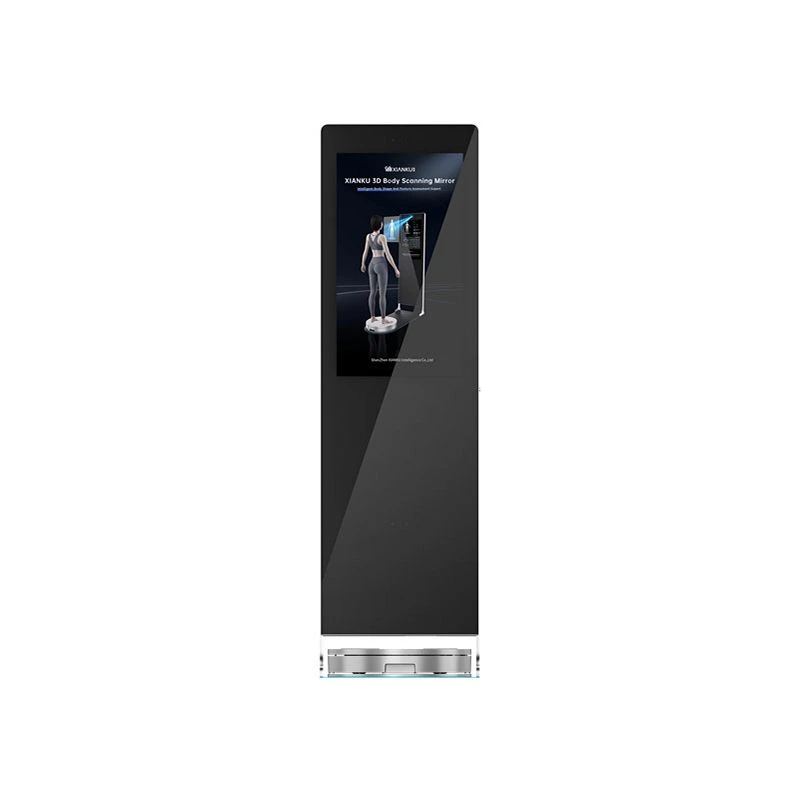
In addition to foot scanners, we also offer other related products. The Xianku 3D Body Scanning Room can provide a full - body scan, which can be used in combination with the foot scan results to understand the overall body posture and its impact on foot health. The Xianku 3D Body Scanner is another innovative product that offers a quick and accurate way to scan the body, including the feet.
How to Get Started with Saving Foot Scan Results
If you are interested in using our foot health scanner to save and manage foot scan results, here are the steps to get started:
- First, set up the scanner according to the user manual. It is a straightforward process that usually involves connecting the scanner to a power source and a display device.
- Once the scanner is set up, turn it on and wait for the system to boot up.
- When a patient is ready for a scan, place their feet on the scanner platform and follow the on - screen instructions to start the scan. The scan usually takes only a few seconds.
- After the scan is completed, the system will generate a detailed report. You can review the report on the touch - screen display.
- To save the results, simply click on the "Save" button on the screen. You can choose the desired storage location, such as the scanner's internal storage or an external USB drive. You can also select the file format according to your needs.
Invitation for Purchase and Consultation
If you are a healthcare professional looking to enhance your foot - related diagnosis and treatment services, or an individual interested in monitoring your own foot health, our foot health scanners are the ideal choice. With their advanced data - saving capabilities, high - quality scans, and user - friendly features, they can provide you with a comprehensive solution for foot health management.
We invite you to reach out to us for more information about our products, including pricing, technical specifications, and demonstration requests. Our team of experts is ready to assist you in choosing the right scanner for your needs and can provide you with support throughout the purchasing process.
References
- Podiatry Today. The Role of Foot Scanning in Modern Podiatric Practice.
- Journal of Foot and Ankle Research. Advancements in Foot Scanning Technology and Its Clinical Applications.
- Healthcare IT News. Ensuring the Security of Patient Health Data in Medical Scanning Devices.